How to Get a YouTube Video Transcript
Extract accurate YouTube video transcripts and Shorts captions in seconds. Download clean TXT, SRT, and VTT subtitle files without manual typing.
Transcribing YouTube videos manually takes hours of stopping, rewinding, and typing out dialogue. Whether you are researching lectures, studying competitors' video scripts, or citing accurate quotes, getting an instant transcript saves valuable creative time.
Our YouTube transcript extractor pulls full caption tracks with exact millisecond timestamps directly from public videos and Shorts. This guide explains how to extract dialogue in seconds, export editor-ready subtitle files, and handle videos without captions.
Read transcripts on YouTube vs. export with our tool
If you only want to quickly skim a video's text inside your browser, YouTube allows you to open the video description and select Show transcript to follow along with playback.
However, YouTube does not offer easy download options or editor-compatible formats. If you need clean TXT for research, or SRT and VTT files to drop directly into Premiere Pro, CapCut, or DaVinci Resolve, our dedicated extractor gives you formatted files in a single click.
Choose a supported YouTube link
Our extractor works seamlessly with standard desktop watch URLs, mobile youtu.be short links, and YouTube Shorts. Simply copy the link from your browser's address bar or share menu.
Make sure to copy a link to a single video rather than a channel homepage or playlist URL.
| Video type | Link format |
|---|---|
| Standard video | https://www.youtube.com/watch?v=VIDEO_ID |
| Short share link | https://youtu.be/VIDEO_ID |
| YouTube Short | https://www.youtube.com/shorts/VIDEO_ID |
Get your transcript and subtitles in 5 steps
Extracting subtitles requires no browser extensions or complicated software. Follow these five simple steps:
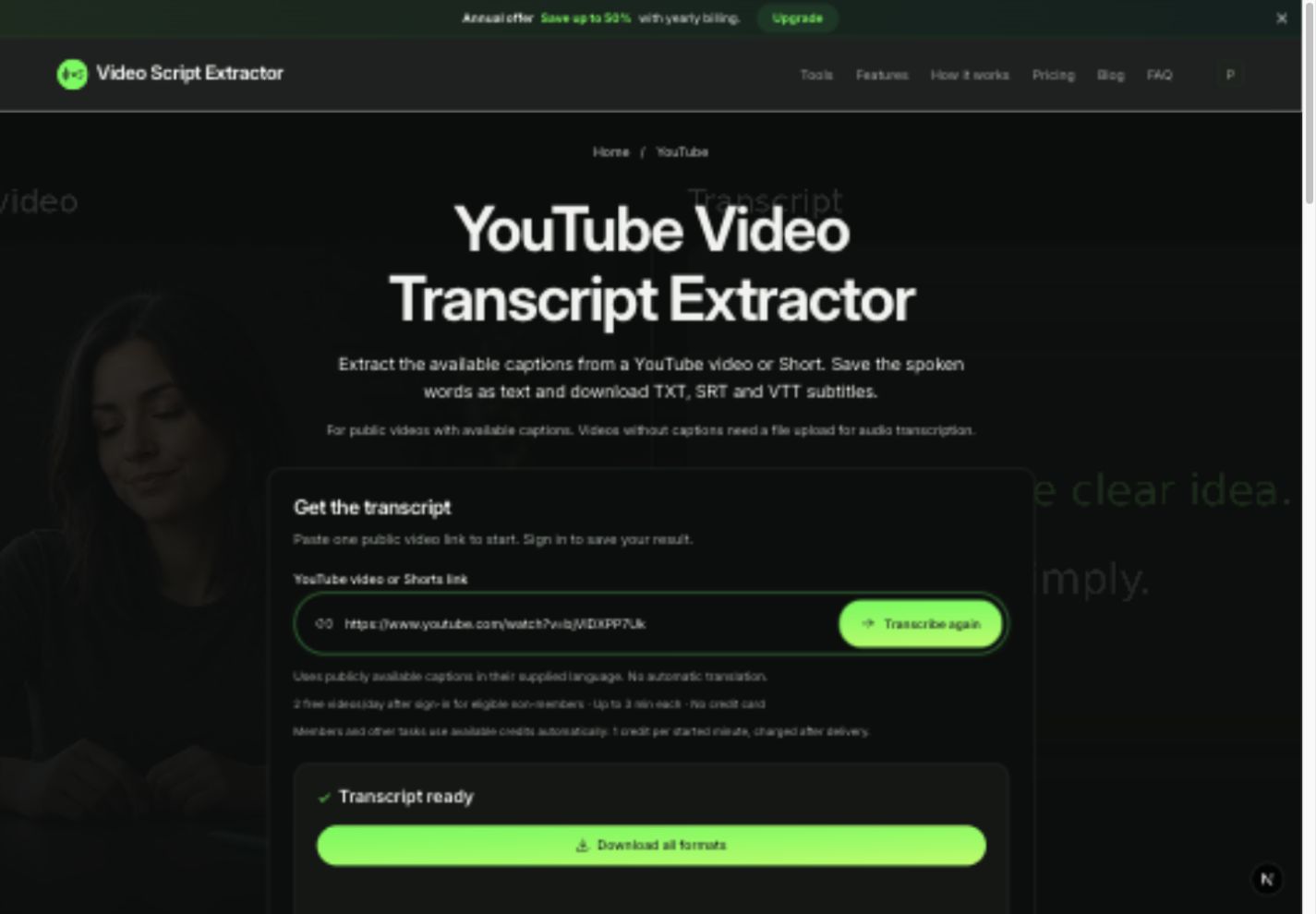
- Open the YouTube transcript tool and paste your public video or Shorts URL.
- Click Get transcript (sign in to use your free daily quota).
- Wait a few seconds while our system retrieves the caption track with precise timestamps.
- Review the extracted dialogue and verify timestamps directly on screen.
- Click Download all formats to save a ZIP containing formatted TXT, SRT, and VTT files.
Choose the right format: TXT, SRT, or VTT
Different workflows need different file formats. We bundle all three together so you never have to convert files manually:
Use clean TXT without timestamps for note-taking, blog drafting, or feeding into AI tools like ChatGPT. Use SRT for industry-standard subtitle tracks in video editors. Use VTT for web players and online course platforms.
Free daily allowance and transparent pricing
Every registered account receives 2 free video transcriptions daily (up to 3 minutes each), shared across all supported platforms. For longer videos or power-user workloads, flexible credit packs and memberships are available.
Paid processing uses 1 credit per started minute of video (for example, a 61-second video uses 2 credits). Credits are only deducted when your transcript is ready — failed jobs are never billed.
All completed transcripts are permanently saved in your Transcript History, where you can view, copy, and re-download them anytime for free.
Troubleshooting common YouTube transcript issues
If a YouTube video cannot be processed, review the common scenarios and quick solutions below:
| Problem | Solution |
|---|---|
| Video has no captions | If you have the MP4 or WebM video file, upload it directly to our upload tool to generate an AI transcript from the audio. |
| Unsupported URL format | Make sure you copy a direct watch URL, youtu.be link, or Shorts link. |
| Private or restricted video | The online tool requires public videos. For private content, use the file upload route. |
| Insufficient credits | Check your video duration and credit balance, or wait for your daily free quota to refresh. |
Frequently asked questions
Can I extract transcripts from YouTube Shorts?
Yes! Simply paste any public YouTube Shorts URL. If the Short has captions, you will receive the full transcript with millisecond timestamps.
What language will the transcript be in?
The transcript retains the video's original published caption language, preserving authentic wording and terminology.
Does the transcript include on-screen graphics or slides?
The transcript captures all spoken and captioned dialogue. Text that appears only visually on slides or graphics remains on screen.