How to Get a Facebook Video Transcript
Get a Facebook Reels transcript or transcribe another public Facebook video. Follow the direct-link, TXT download and SRT or VTT subtitle steps.
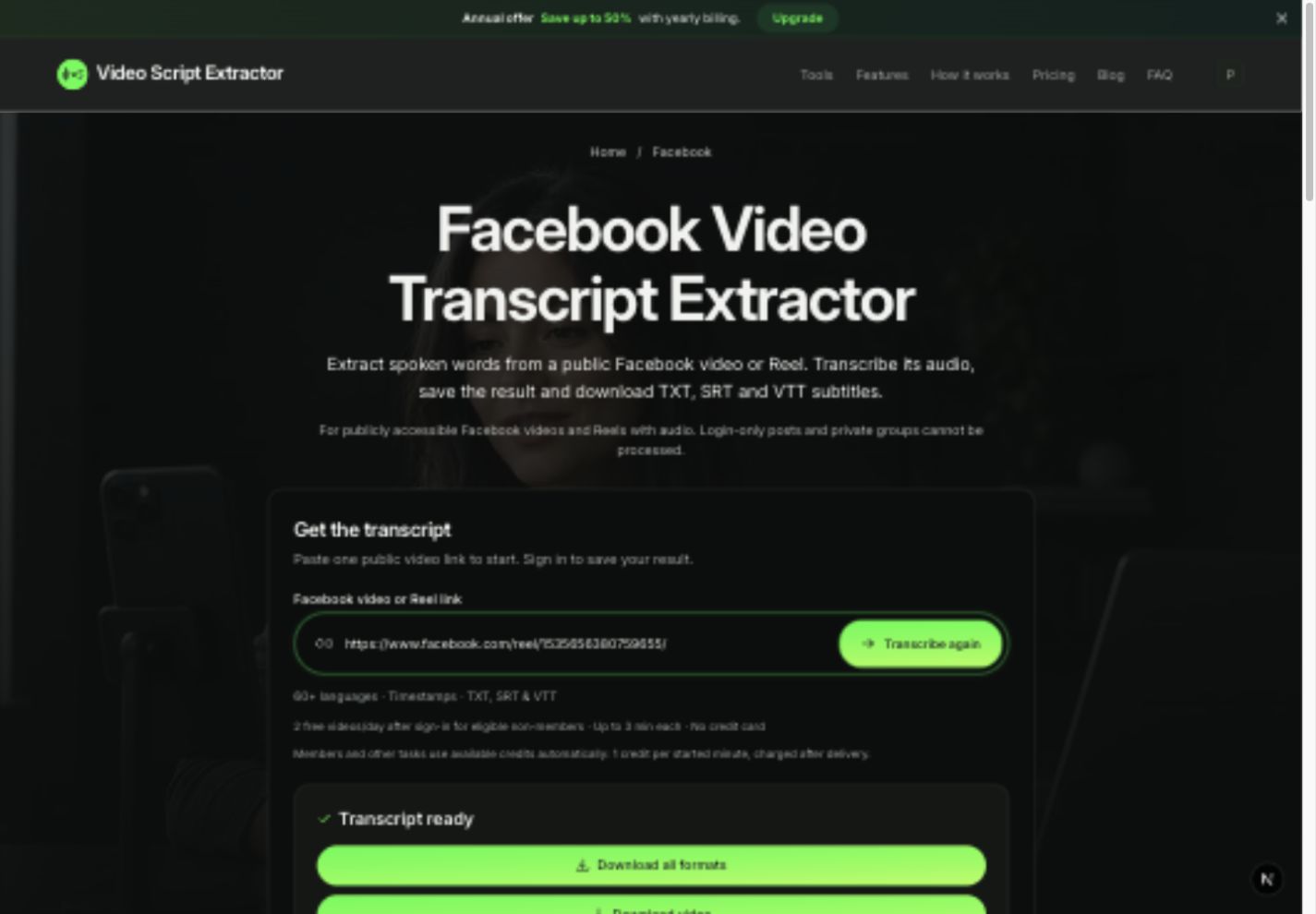
A Facebook video transcript lets you find spoken quotes, read an interview or prepare a subtitle track. Use the individual public video link so the tool can identify the recording.
Video Script Extractor transcribes the audio from public Facebook videos and Reels without requiring an existing caption track. This guide covers direct links, a Facebook Reels transcript workflow and the checks to make before using TXT, SRT or VTT.
Find the right Facebook video URL
Our tool supports public Facebook Reels, standard watch videos, and Page video posts. The table below shows common supported formats (replace with your video's actual ID):
For watch URLs, make sure to include the ?v= parameter as it contains the unique video identifier.
If you copied a facebook.com/share/... link from the mobile app, open it in your browser first to get the direct Reel or watch URL before pasting.
| Video type | Link format |
|---|---|
| Facebook Reel | https://www.facebook.com/reel/123456789012345/ |
| Watch video | https://www.facebook.com/watch/?v=123456789012345 |
| Page video | https://www.facebook.com/YourPage/videos/123456789012345/ |
How to get a Facebook Reels transcript
Open the individual public Reel and copy its facebook.com/reel/… address. If Facebook gives you a /share/ link, open it in a browser and copy the resolved direct Reel URL. Paste that link into the Facebook transcript tool after signing in.
The tool transcribes spoken audio even if the creator did not enable captions. It keeps the spoken language and excludes post descriptions, comments, stickers and text that appears only on screen. Find the Ready task in Transcripts, select Download all formats and unzip TXT, SRT and VTT.
Use TXT for reading or checking quotations. Use SRT or VTT for a timed caption track, and compare its cues with the original Reel before editing. The subtitle ZIP contains text files. For your own unpublished recording, or a file you have permission to process, use the MP4 or WebM uploader instead (up to 25 MB).
Get your transcript and subtitles in 5 steps
Use a direct public video or Reel link, then follow the task through to its ready result.
- Open the Facebook transcript tool and sign in.
- Paste the public video or Reel URL and select Get transcript.
- Wait for the audio transcription to finish. Check its status in Transcripts before submitting the link again.
- Find the Ready task and select Download all formats to save the ZIP.
- Unzip TXT, SRT and VTT, then open them in your own software to compare important wording and timing with the source audio.
Check the spoken words against the source
Speech recognition can make mistakes when a recording has background music, overlapping speakers, quiet speech or unfamiliar names. Replay important passages before quoting them.
The result comes from spoken audio and voiceovers. It does not extract comments, post descriptions or text shown only in graphics.
Download TXT, SRT and VTT from the Ready task, then open the files in your own software to check and correct wording or subtitle timing.
Use the text or timed subtitle files
Use TXT to search an interview, collect notes or prepare a written draft. Keep the original video link with your notes so you can check names and quotations.
Use SRT or VTT in an editor or player that accepts the format. Review the cues against the same recording, especially if you have trimmed the beginning or combined several clips.
All three formats arrive in one ZIP. They are text and subtitle documents; exporting them does not add captions to video frames.
Free daily allowance and transparent pricing
The free plan allows 2 successful video transcriptions daily after sign-in, with a 3-minute limit for each. The allowance is shared across supported platforms and file uploads. Active members use membership credits.
Longer recordings and additional tasks require an applicable paid balance. Paid processing uses 1 credit per started minute, and failed tasks are not charged.
Completed results appear in Transcripts. Downloading files from a ready result again uses no extra processing credits. Keep a local copy if you need to retain the files.
Frequently asked questions
Do Facebook Reels work?
Yes. Paste a supported public facebook.com/reel/… URL to transcribe the spoken audio and download the text and subtitle files.
Does the video need captions already?
No. Our tool transcribes the spoken audio directly using AI, so an existing Facebook caption track is not needed.
Can I transcribe private group videos?
The public-link tool cannot access private groups through your Facebook login. If you have permission and already have the MP4 or WebM video file, upload it through the file tool (up to 25 MB).
Can I get Facebook Reels transcripts for a whole Page at once?
The tool processes one public Reel, watch video or Page video URL per request. It does not start a batch from a Page or profile link.
Can I transcribe a Reel longer than the free limit?
Recordings over 3 minutes require an applicable paid balance and remain subject to processing limits. Paid transcription uses 1 credit per started minute, with no charge for failed tasks.